

Using Cursor, VS Code, Gemini, Grok or another app? See 23 more apps. Not sure what to ask for? See what to make. Rather text from your phone? Text Masonry from iMessage
- Open ChatGPT plugins(opens in a new tab)
ChatGPT
Add Masonry as a plugin in ChatGPT
Server URL
https://masonry.so/mcp
- In ChatGPT plugins, select
Add, thenAdd custom MCP server - Name it Masonry, paste the server URL and create it
- Select Connect, then Allow on masonry.so
- Start a new chat, type
@Masonryand ask for a product photo
Masonry is in review for the ChatGPT plugin directory. Once it is listed you can search plugins for Masonry and connect it without the URL
- In ChatGPT plugins, select
- Add to Claude(opens in a new tab)
Claude
claude.ai and Claude Desktop: add Masonry as a custom connector
Server URL
https://masonry.so/mcp
- Select Add to Claude. Claude opens with Masonry and the server URL filled in
- Check the name and URL, then select Continue
- Select Connect, then Allow on masonry.so
No form opened? In Claude's connectors select
+ Add, thenAdd custom connector, and paste the server URL. On a Team or Enterprise plan an owner adds it once under Organization settings, Connectors Claude Code
One command installs the Masonry plugin: the server and two skills
Run in your terminal
claude plugin marketplace add sushilk1991/claude-plugins && claude plugin install masonry@masonry
- Paste the command into a terminal and run it
- Start a new Claude Code session, or run
/reload-pluginsin the one that is open - Run
/mcp, choose masonry and sign in. Select Allow on masonry.so
The skills are
/masonry:get-startedand/masonry:product-shoot. Only want the server? Runclaude mcp add --transport http masonry https://masonry.so/mcpCodex
Add the Masonry server from your terminal
Run in your terminal
codex mcp add masonry --url https://masonry.so/mcp
- Run the command
- Allow on masonry.so when your browser opens
No browser window? Run
codex mcp login masonry
What to make
51 templates and briefs, grouped by what you're making. Every one runs in your own workspace
What people are making this week: the formats spreading on X and TikTok, and the templates our creators run most
Templates
Fill in a few blanks and Masonry's agent makes it
Ready-made briefs
Copy one into ChatGPT, Claude or any app you connected, or open it in Masonry. Change the words in brackets
The gentleman in the city
Any appAn original gentleman animal meets one everyday injustice, does the decent thing, and the story ends on a one-line moral
9:16 · 45 to 60 s · music, no dialogue · You bring an animal, a city, a small injustice and the moral
Make it in MasonryMake a 45 to 60 second vertical video with Masonry. An original gentleman [animal] with one signature detail (a hat or a cane) lives in [city]. In 5 scenes: he steps into a crowd, [someone cuts the queue at the bakery], he is tempted to get even, he does the kind thing instead, and the crowd reacts. Keep him identical in every scene. No dialogue: music that builds and resolves carries the story. End on a card with the moral: "[moral]". Join the scenes into one video with the music.
Product in use
Any appOne product photo becomes a realistic 15 second clip of someone using it, with three hooks to test and a call to action
9:16 · 15 s · voiceover and captions · You bring a product photo, who uses it, one true claim, the CTA
Make it in MasonryUse the attached photo of my product, [a body butter]. Keep its real label, shape and color. Make a 15 second vertical ad of [a woman in her 30s] using it: a hook, the product in hand, in use, the visible result, then "[Order on WhatsApp]". Voiceover in [Spanish] and captions. Give me three versions with different opening hooks. No medical claims.
Your pet, the star
Any appOne photo of your pet becomes a singing star, a wizard or Santa's helper, with its real markings
9:16 · 8 to 10 s · music or sound effects · You bring a photo of your pet and the role
Make it in MasonryUse the attached photo of my [dog or cat]. Keep its real fur, markings and face. Make a 10 second vertical video of it as [a rock star singing on a concert stage with lights]: a costume reveal, a hold, then its big moment. Add fitting music or sound effects.
Micro-drama episode
Any appA 60 second vertical drama with a hook in the first 3 seconds, a locked cast and a cliffhanger. Episode 2 reuses the cast
9:16 · 45 to 60 s · dialogue and score · You bring genre, cast and the premise
Make it in MasonryMake episode 1 of a vertical micro-drama with Masonry, about 60 seconds. Genre: [CEO romance]. Cast: [a barista and a guarded millionaire]. Setting: [Seoul]. Open with a shocking line in the first 3 seconds, set up the relationship, reveal [he left her a letter], and end on a cliffhanger with an "Episode 2" card. Create the cast first and keep them identical in every shot, with spoken lines, captions and a score. Join the shots into one video.
T-shirt and sticker design pack
In MasonryA theme in, a dozen print-ready designs out on transparent backgrounds, plus mockups, in one consistent style
12 images · transparent PNG · 2 mockups · You bring theme, style, print method and slogans
Make it in MasonryMake 12 [Christmas] designs for t-shirts in a [cartoon] style for [DTF printing]: 3 concepts with 4 variations each, one consistent palette, slogans in [Spanish], each on a real transparent background and upscaled for print. Then show the best two on a t-shirt mockup.
A world of whys
Any appA curious kid asks a question and a friendly guide answers it with three visual demos and a sing-song outro
9:16 · 45 to 60 s · narration and jingle · You bring the question, the age and the language
Make it in MasonryMake a 60 second vertical kids' explainer with Masonry, in [Spanish], for [4 year olds]: "[Why does it rain?]". A curious kid character asks, a friendly guide answers in one simple sentence, then three colorful 3D demos, a rhyming recap and "tell me your why" at the end. Same two characters throughout, narration, captions and a short jingle. Join it into one video.
One photo in, a 6 to 15 second clip out. Pets, family photos and this week's dance
Ready-made briefs
Copy one into ChatGPT, Claude or any app you connected, or open it in Masonry. Change the words in brackets
Your pet, the star
Any appOne photo of your pet becomes a singing star, a wizard or Santa's helper, with its real markings
9:16 · 8 to 10 s · music or sound effects · You bring a photo of your pet and the role
Make it in MasonryUse the attached photo of my [dog or cat]. Keep its real fur, markings and face. Make a 10 second vertical video of it as [a rock star singing on a concert stage with lights]: a costume reveal, a hold, then its big moment. Add fitting music or sound effects.
Dance from one photo
Any appUpload a full-body photo and they do the dance of the week in a loop, with an original track in the same style
9:16 · 8 to 10 s · original music · You bring a full-body photo and a dance style
Make it in MasonryAnimate the attached full-body photo into a 10 second vertical clip: the person holds a pose, the beat drops, and they do a [shoulder-bounce dembow] dance, then freeze on the last beat. Keep their face and outfit. Make an original track in that style for it: no copyrighted song.
Old photo, alive
Any appRestore a faded family photo, then bring it gently to life with a blink, a smile and soft sound
9:16 or 4:5 · 6 to 10 s · ambience · You bring an old photo
Make it in MasonryRestore the attached old family photo: fix scratches and fading[, and colorize it]. Then animate it for 8 seconds with only a gentle blink and a small smile, nothing that changes who they are, and add soft ambient sound. No speech.
Beat-drop reveal
Any appA plain photo, then the beat drops and you're suddenly in the outfit, the role or the world
9:16 · 6 to 8 s · sting · You bring a portrait and the reveal
Make it in MasonryFrom the attached portrait, make a 7 second vertical reveal: they stand still in their normal clothes, then on a beat drop they flash into [a charro suit] in the same pose and hold it. Keep the face identical in both halves. Add a short music sting on the drop.
A cast that stays the same from scene to scene and episode to episode
Templates
Fill in a few blanks and Masonry's agent makes it
Ready-made briefs
Copy one into ChatGPT, Claude or any app you connected, or open it in Masonry. Change the words in brackets
Micro-drama episode
Any appA 60 second vertical drama with a hook in the first 3 seconds, a locked cast and a cliffhanger. Episode 2 reuses the cast
9:16 · 45 to 60 s · dialogue and score · You bring genre, cast and the premise
Make it in MasonryMake episode 1 of a vertical micro-drama with Masonry, about 60 seconds. Genre: [CEO romance]. Cast: [a barista and a guarded millionaire]. Setting: [Seoul]. Open with a shocking line in the first 3 seconds, set up the relationship, reveal [he left her a letter], and end on a cliffhanger with an "Episode 2" card. Create the cast first and keep them identical in every shot, with spoken lines, captions and a score. Join the shots into one video.
Anime short
Any appA 30 to 60 second anime-style short: a duel, a farewell or a transformation, with a score
9:16 or 16:9 · 30 to 60 s · score · You bring premise, two characters, mood
Make it in MasonryMake a 45 second anime-style short with Masonry: [two samurai brothers meet again after 10 years]. Mood: [sad but epic]. Beats: a silent hero shot, a memory flash, the clash, a quiet resolution and a title card. Keep both characters consistent, add a score, and join it into one [vertical] video.
Songs, bedtime stories and explainers in the language your family speaks
Templates
Fill in a few blanks and Masonry's agent makes it
Ready-made briefs
Copy one into ChatGPT, Claude or any app you connected, or open it in Masonry. Change the words in brackets
A world of whys
Any appA curious kid asks a question and a friendly guide answers it with three visual demos and a sing-song outro
9:16 · 45 to 60 s · narration and jingle · You bring the question, the age and the language
Make it in MasonryMake a 60 second vertical kids' explainer with Masonry, in [Spanish], for [4 year olds]: "[Why does it rain?]". A curious kid character asks, a friendly guide answers in one simple sentence, then three colorful 3D demos, a rhyming recap and "tell me your why" at the end. Same two characters throughout, narration, captions and a short jingle. Join it into one video.
Bedtime story with your child's name
Any appA calm bedtime story where an animal hero carries your child's name, favourite things and one small worry
9:16 or 16:9 · 45 to 60 s · narration and lullaby · You bring first name, age, favourite animal, one worry
Make it in MasonryMake a calm 60 second bedtime story video with Masonry, in [Spanish]. The hero is a little [dinosaur] called [first name], age [4], who is [afraid of the dark]. Sunset, the small fear, a gentle helper, the fear solved, then a yawn and stars. Soft colors, slow cuts, a slow warm narrator and a quiet lullaby. Keep the hero identical in every scene and join it into one video.
Your kid's drawing comes alive
Any appPhotograph a child's drawing and the character wiggles off the page into a short adventure
9:16 or 1:1 · 10 to 20 s · gentle music · You bring a photo of the drawing and what it should do
Make it in MasonryHere is a photo of my child's drawing of [a green dragon]. Turn it into a cute 3D character that keeps the drawing's shapes and colors, then make a 15 second video: the paper, a wiggle, it jumps off the page, [flies a loop], and waves goodbye. Gentle music. Use only the drawing, no real faces.
Music videos for your track, and characters that sing any genre
Ready-made briefs
Copy one into ChatGPT, Claude or any app you connected, or open it in Masonry. Change the words in brackets
Music video for your track
Any appBring a song or lyrics and get a music video with a performer, cuts on the beat and a lip-synced chorus
9:16 or 16:9 · 30 to 60 s · your track · You bring the song or lyrics, the artist's look, the mood
Make it in MasonryMake a 40 second [vertical] music video with Masonry for my [romantic reggaeton] song (attached). The artist: [a woman on a beach at night], consistent in every shot. An instrumental intro shot, a verse in one location, the chorus lip-synced, a visual metaphor for the bridge, and a freeze on the last chord. Cut on the beat and use my song as the soundtrack.
Character sings the genre
Any appAny animal, mascot or cartoon sings a short original song in the genre you pick
9:16 · 15 to 30 s · original song · You bring a character, a genre and a topic
Make it in MasonryMake a 20 second vertical video with Masonry: a [toad] singing [blues] about [the wifi going out], with a raspy voice. Write and produce an original song, then make him sing it on one stage with close-ups: a hook note in the first 2 seconds and a big last note.
Short ads that sell: product in use, before and after, mascots and static sets
Templates
Fill in a few blanks and Masonry's agent makes it
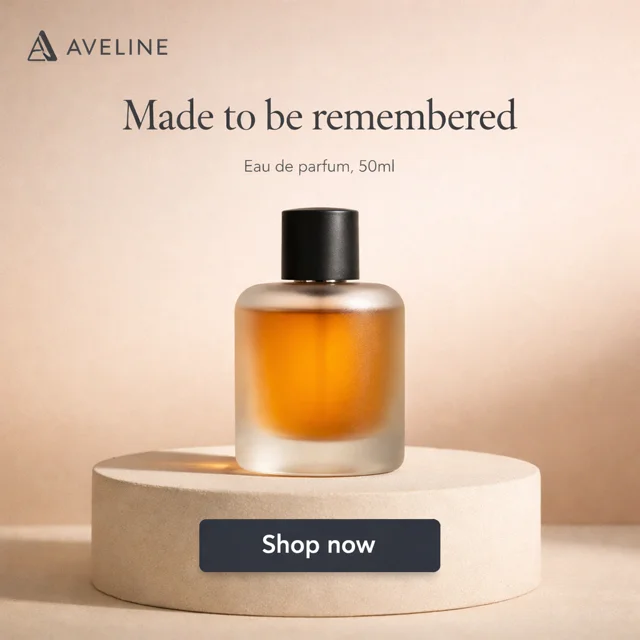


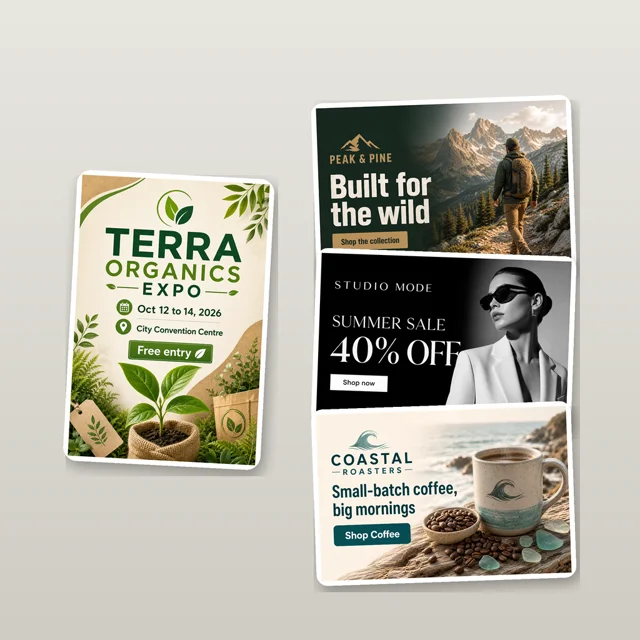


Ready-made briefs
Copy one into ChatGPT, Claude or any app you connected, or open it in Masonry. Change the words in brackets
Product in use
Any appOne product photo becomes a realistic 15 second clip of someone using it, with three hooks to test and a call to action
9:16 · 15 s · voiceover and captions · You bring a product photo, who uses it, one true claim, the CTA
Make it in MasonryUse the attached photo of my product, [a body butter]. Keep its real label, shape and color. Make a 15 second vertical ad of [a woman in her 30s] using it: a hook, the product in hand, in use, the visible result, then "[Order on WhatsApp]". Voiceover in [Spanish] and captions. Give me three versions with different opening hooks. No medical claims.
Before and after service ad
Any appPainters, cleaners, barbers and roofers get a before and after ad with their area and number on the end card
9:16 · 15 to 30 s · voiceover · You bring a before photo, the service, area and contact
Make it in MasonryI'm a [painter] in [Guadalajara]. Here is a before photo of [a tired living room]. Make a 20 second vertical ad: a close-up of the problem, "what if", a wipe to a freshly finished version of the same room, then an end card with [my WhatsApp number] and [the offer]. Voiceover in [Spanish]. Label the after as a concept.
Keep your real product. Studio shoots, catalog images, lookbooks and print designs
Templates
Fill in a few blanks and Masonry's agent makes it



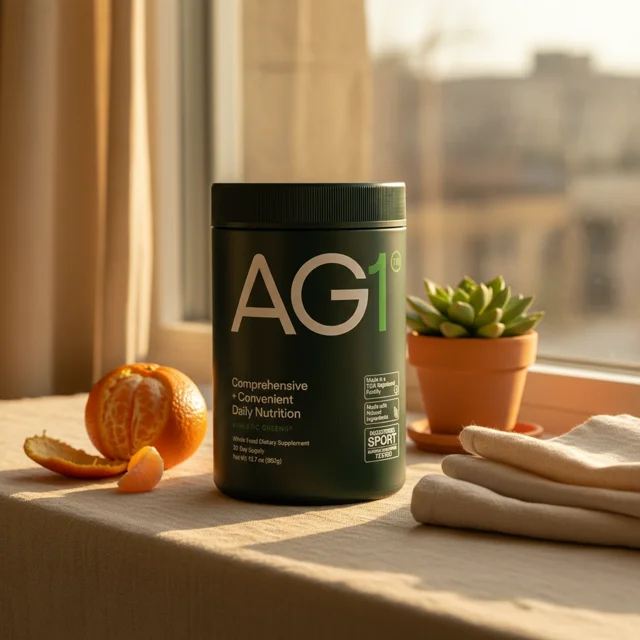


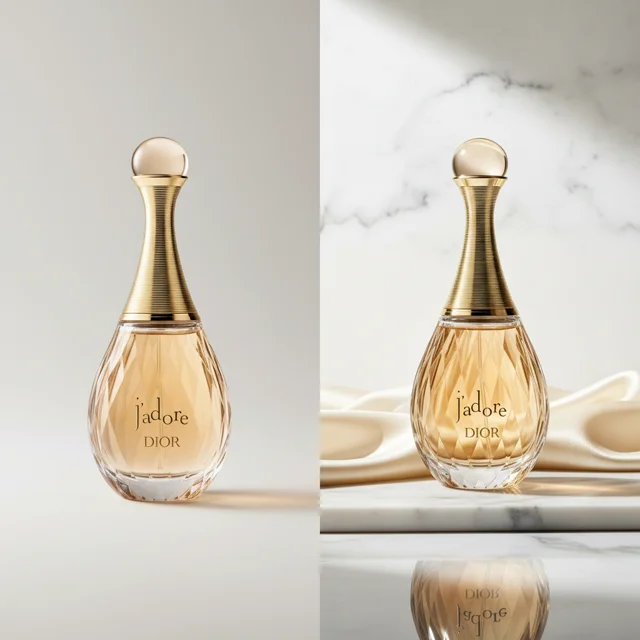








Ready-made briefs
Copy one into ChatGPT, Claude or any app you connected, or open it in Masonry. Change the words in brackets
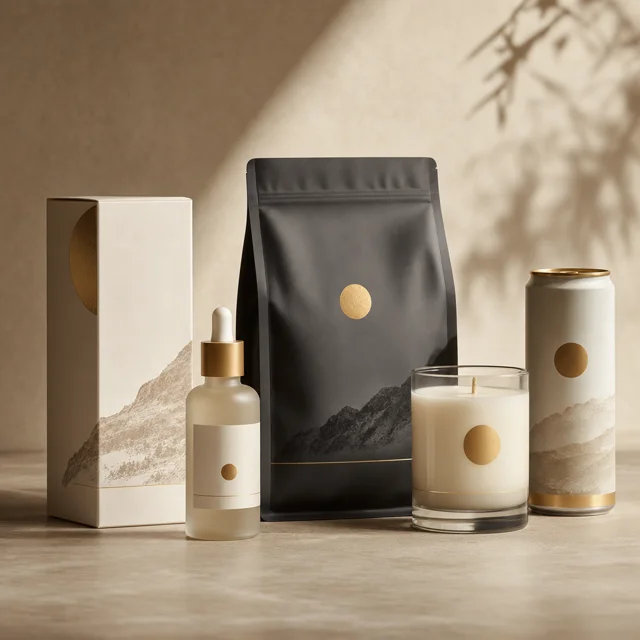
Studio shoot to hero reel
Any appRun the Studio shoot on your product, then turn the looks into a 15 second reel for your store and ads
9:16 and 1:1 · 15 s · sound design · You bring a product photo and the brand vibe
Make it in MasonryRun a Masonry Studio product shoot on the attached photo of my [scented candle], and let me pick a look. Then animate four shots from that set with slow macro camera moves and cut a 15 second reel: texture, hero angle, lifestyle, pack shot. Add subtle sound design. Keep the real product exactly as it is.
Runway walk lookbook
Any appOne garment becomes a model walking a runway or a street in slow motion, in up to four colorways
9:16 · 8 to 15 s · original music · You bring a garment photo, the model and the setting
Make it in MasonryHere is my [denim jacket]. Keep its real cut, stitching and color. Make a 10 second vertical clip of a [model] wearing it, walking a [runway with lights] in slow motion: step in, turn, a close-up on [the collar], finale pose. Add an original track. Then make the same walk in [black and sand].
T-shirt and sticker design pack
In MasonryA theme in, a dozen print-ready designs out on transparent backgrounds, plus mockups, in one consistent style
12 images · transparent PNG · 2 mockups · You bring theme, style, print method and slogans
Make it in MasonryMake 12 [Christmas] designs for t-shirts in a [cartoon] style for [DTF printing]: 3 concepts with 4 variations each, one consistent palette, slogans in [Spanish], each on a real transparent background and upscaled for print. Then show the best two on a t-shirt mockup.
Turn the flyer, menu or listing photos you already have into a video for WhatsApp and Reels
Templates
Fill in a few blanks and Masonry's agent makes it


Ready-made briefs
Copy one into ChatGPT, Claude or any app you connected, or open it in Masonry. Change the words in brackets
Flyer to video
In MasonryDrop the flyer you already have and get a vertical video where every date, price and address stays readable
9:16 · 15 to 20 s · music · You bring the flyer and your contact
Make it in MasonryTurn the attached flyer into a professional 15 second vertical video for [TikTok]. Show every detail clearly: the offer, the dates, the price and the address, with big readable animated text that matches the flyer's colors. Music, and "[contact]" on the last card.
Menu craving reel
Any appPhotos of your dishes become a 15 second craving reel with sizzle, prices and your WhatsApp
9:16 · 15 to 20 s · sizzle and voiceover · You bring dish photos, name, area and contact
Make it in MasonryHere are photos of [my tacos al pastor] from [my taqueria in Monterrey]. Keep the real food. Make a 15 second vertical reel: a sizzle hook, the hero dish turning, [a cheese pull], the price, then the address and [WhatsApp number]. Macro shots, sizzle sound effects and a short voiceover in [Spanish].
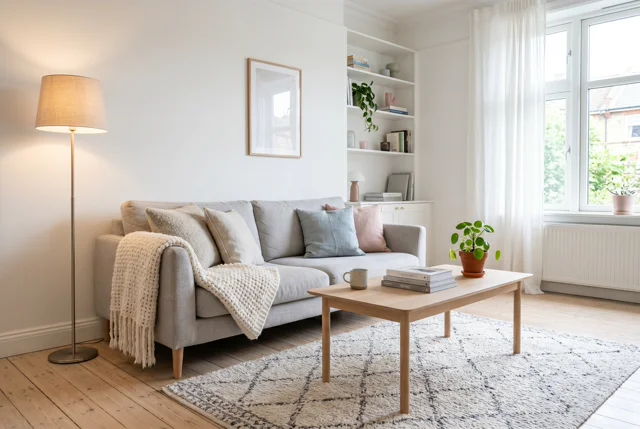
Listing photo tour
Any appYour listing photos become a narrated 30 second tour with smooth camera moves, using only the real rooms
9:16 or 16:9 · 30 s · voiceover · You bring photos in order, price, rooms and agent
Make it in MasonryHere are [8] photos of [an apartment in Mexico City], in order. Make a 30 second vertical tour: a slow dolly on each photo, without adding or changing furniture or views, a warm voiceover in [Spanish] and soft music, then an end card with [price, bedrooms and my contact].
Your facts and your topic, told with narration, visuals and captions
Templates
Fill in a few blanks and Masonry's agent makes it


Ready-made briefs
Copy one into ChatGPT, Claude or any app you connected, or open it in Masonry. Change the words in brackets
Mystery explainer short
Any appA hook, three real facts with cinematic visuals, a twist and a source card. Your facts, not filler
9:16 or 16:9 · 45 to 60 s · narration · You bring topic, three facts or a source, language
Make it in MasonryMake a 60 second vertical explainer with Masonry, in [Spanish]. Hook: "[There are ocean creatures that look like aliens]". Then these three facts with cinematic visuals: [fact 1], [fact 2], [fact 3]. A twist, a question to the viewer and a card with [source]. Narration, mysterious music and big captions. Don't invent statistics.
30 second language lesson
Any appA friendly character teaches three phrases in a real situation, with captions in both languages
9:16 · 30 s · two voices · You bring your language, the one to learn, the situation
Make it in MasonryMake a 30 second vertical lesson teaching [basic English] to [Spanish] speakers, set [at the airport]. A friendly character says 3 useful phrases, each slowly and then at normal speed, with captions in both languages, a small mistake joke and a quick quiz at the end. Keep the character the same in every scene.
Logo stings, brand kits, brochures and one-pagers
Templates
Fill in a few blanks and Masonry's agent makes it




Ready-made briefs
Copy one into ChatGPT, Claude or any app you connected, or open it in Masonry. Change the words in brackets
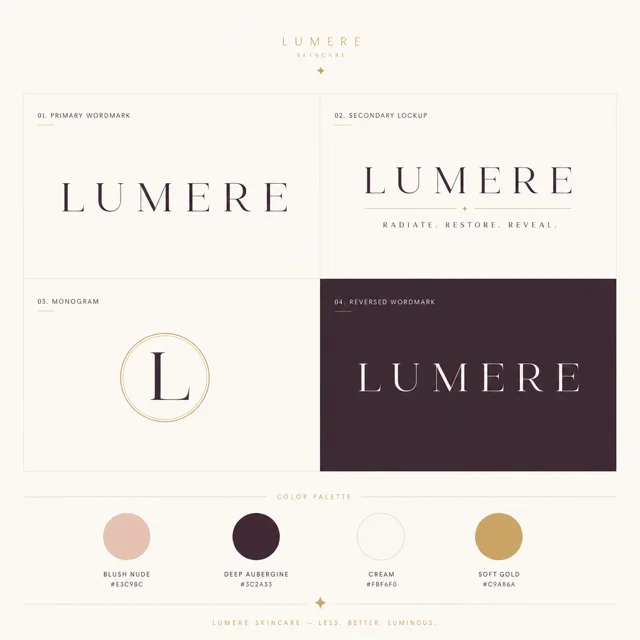
Logo sting and outro
In MasonryUpload your logo and get a 4 second animated sting and an end card for Shorts and Reels, with no white box around it
9:16 and 16:9 · 3 to 5 s · sting sound · You bring your logo, colors, tagline and handle
Make it in MasonryAnimate the attached logo into a 4 second sting for the end of my Shorts: [ink] forms the mark, a hold, then "[tagline]" and [@handle]. Remove the logo's white background, use [my brand colors], add a short sting sound, and give me vertical and horizontal versions.
Clip long videos into Shorts, plan a week of posts and refresh your profile
Templates
Fill in a few blanks and Masonry's agent makes it


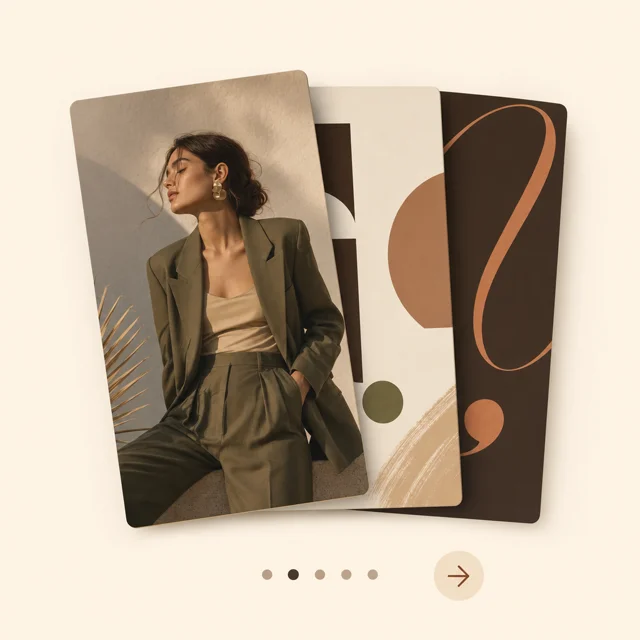


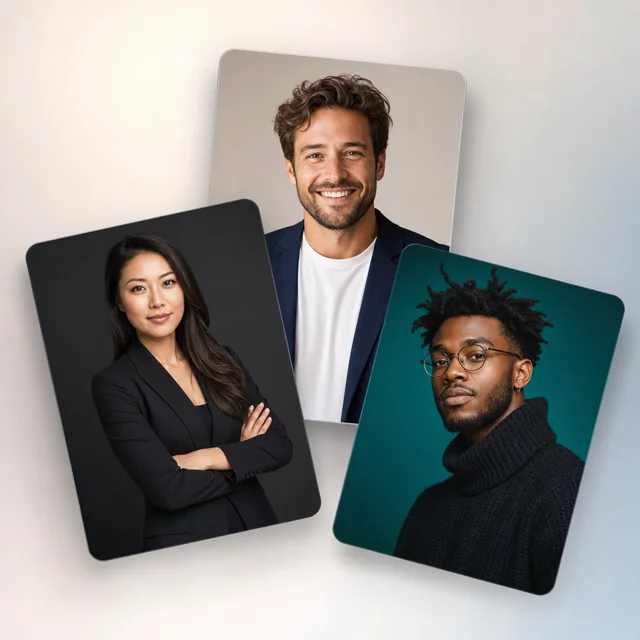


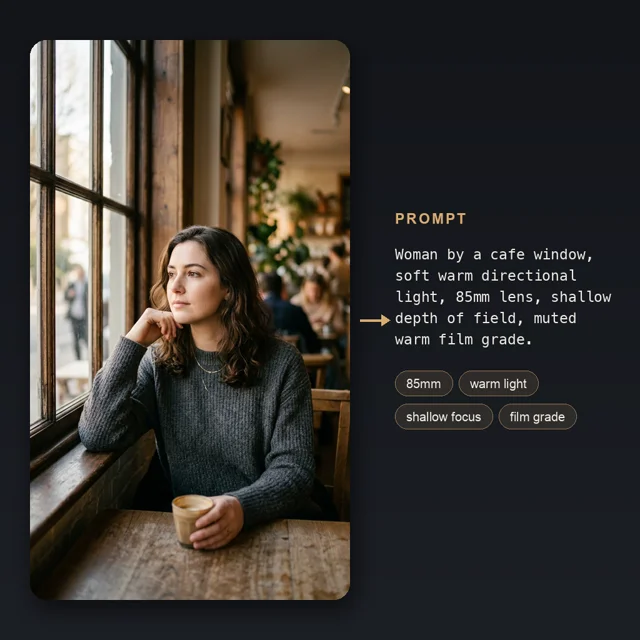


Ready-made briefs
Copy one into ChatGPT, Claude or any app you connected, or open it in Masonry. Change the words in brackets
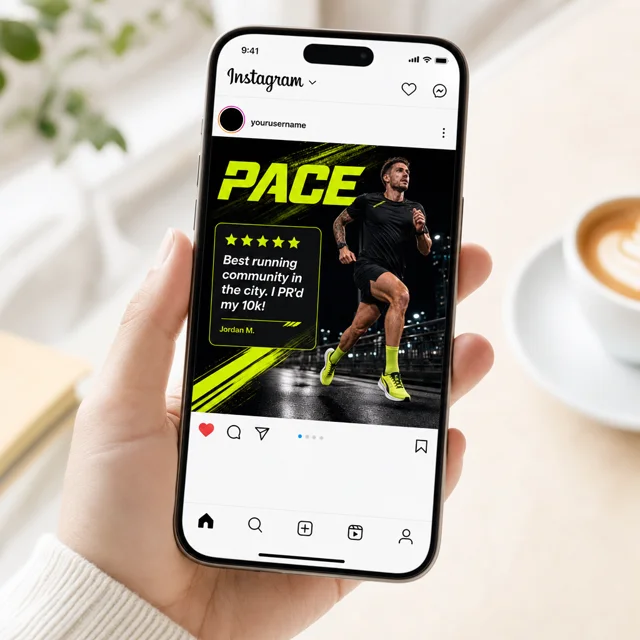
Clip my video into Shorts
In MasonryPaste a YouTube link and get the best moments as vertical clips, hook first, with big captions and a title for each
9:16 · 20 to 45 s each · captions · You bring a link to a video you own or may use
Make it in MasonryFind the most viral moments in [YouTube link] (my own video) and cut [4] vertical clips for TikTok, best hook first, 20 to 45 seconds each, with big captions in [Spanish], a title and hashtags for each.
Diwali, Navidad, birthdays and weddings: greetings and invitations people share
Templates
Fill in a few blanks and Masonry's agent makes it
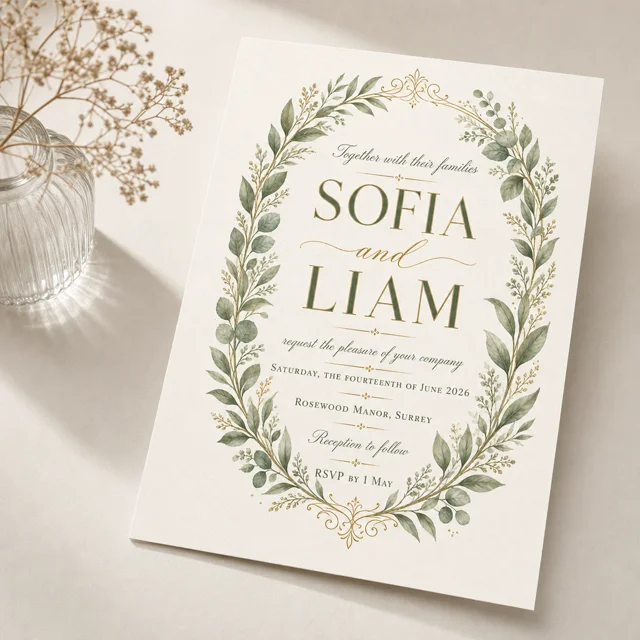


Ready-made briefs
Copy one into ChatGPT, Claude or any app you connected, or open it in Masonry. Change the words in brackets
Festive greeting video
Any appYour family photo in a Diwali, Navidad or New Year scene, with the wish written in your language
9:16 · 10 to 15 s · warm music · You bring a photo, the festival and the wish
Make it in MasonryUse the attached family photo and keep everyone's faces. Make a 15 second vertical [Diwali] greeting: diyas light up, the family in a festive scene, fireworks, then "[Happy Diwali]" written in [Hindi] with [our names]. Warm music.
Animated invitation
Any appA birthday, quinceañera or wedding invitation as a 15 second video, ready to send on WhatsApp
9:16 · 15 s · soft music · You bring occasion, names, date, venue and RSVP
Make it in MasonryMake a 15 second vertical invitation video for [my daughter's quinceañera], theme [pink butterflies]. Reveal the theme, then [name], [date and time], [venue] and [RSVP number], all clearly readable for the last 3 seconds. Soft music. Keep the file small enough for WhatsApp.
Want every template with its examples? Browse all templates
More apps
The same Masonry server works in any app that adds remote MCP servers with sign-in. Find yours below
Code editors
Install from a link, then sign in from the editor
- Add to Cursor
Cursor
One-click install
- Select Add to Cursor and confirm the install in Cursor
- When Cursor asks you to sign in to masonry, select Allow on masonry.so
- No button? Under
mcpServersin~/.cursor/mcp.json, add"masonry": { "url": "https://masonry.so/mcp" }
- Add to VS Code(opens in a new tab)
VS Code
GitHub Copilot agent mode
code --add-mcp '{"name":"masonry","type":"http","url":"https://masonry.so/mcp"}'
- Select Add to VS Code, or run the command in a terminal
- Confirm the install in VS Code
- When VS Code asks you to sign in to masonry, select Allow on masonry.so
- Add to VS Code Insiders(opens in a new tab)
VS Code Insiders
One-click install
- Select Add to VS Code Insiders and confirm the install
- When Insiders asks you to sign in to masonry, select Allow on masonry.so
- Add to Kiro(opens in a new tab)
Kiro
One-click install
- Select Add to Kiro and confirm the install in Kiro
- Kiro opens masonry.so to sign in. Select Allow on masonry.so
Zed
One settings entry
"masonry": { "url": "https://masonry.so/mcp" }
- In Zed, run
zed: open settings file - Add the entry under
context_serversand save - When Zed asks you to sign in, select Allow on masonry.so
- In Zed, run
Cline
Add a remote server
https://masonry.so/mcp
- In Cline, open MCP Servers, then the Remote Servers tab
- Name it masonry, paste the server URL, choose Streamable HTTP and select Add Server
- Sign in when Cline asks. Select Allow on masonry.so
Terminal agents
One command adds the server. Sign in once and it stays connected
Gemini CLI
One terminal command
gemini mcp add --scope user --transport http masonry https://masonry.so/mcp
- Run the command
- In Gemini CLI, run
/mcp auth masonry. Select Allow on masonry.so
GitHub Copilot CLI
One terminal command
copilot mcp add --transport http masonry https://masonry.so/mcp
- Run the command
- In Copilot CLI, run
/mcp auth masonry. Select Allow on masonry.so
Cursor CLI
Shares Cursor's servers
agent mcp login masonry
- Add Masonry to Cursor first, with Add to Cursor above
- Run the command. Select Allow on masonry.so
Grok Build
One terminal command
grok mcp add --transport http masonry https://masonry.so/mcp
- Run the command, then start
grok - It opens masonry.so the first time it uses Masonry. Select Allow on masonry.so
- Run the command, then start
Amp
One terminal command
amp mcp add masonry https://masonry.so/mcp
- Run the command, then start Amp
- Amp opens masonry.so to sign in. Select Allow on masonry.so
opencode
Guided terminal setup
opencode mcp add
- Run the command and choose a remote server
- Name it masonry and paste
https://masonry.so/mcp - Run
opencode mcp auth masonry. Select Allow on masonry.so
Kimi Code CLI
One terminal command
kimi mcp add --transport http --auth oauth masonry https://masonry.so/mcp && kimi mcp auth masonry
- Run the command
- Select Allow on masonry.so when your browser opens
Factory Droid
One terminal command
droid mcp add masonry https://masonry.so/mcp --type http
- Run the command
- In Droid, run
/mcp, choose masonry and sign in. Select Allow on masonry.so
Warp
Paste one settings entry
{ "masonry": { "url": "https://masonry.so/mcp" } }
- In Warp, open Settings, Agents, MCP servers and select + Add
- Paste the entry and save
- Warp opens masonry.so to sign in. Select Allow on masonry.so
Masonry CLI
No MCP needed
npm install -g @masonryai/cli
- Install the CLI with npm
- Run
masonry login. Select Allow on masonry.so
Chat apps
Add Masonry as a custom connector in the app's settings
- Open Grok connectors(opens in a new tab)
Grok
Add a custom connector
https://masonry.so/mcp
- Select New Connector, then Custom
- Name it Masonry and paste the server URL
- Select Allow on masonry.so
On Grok Business and Enterprise, a team admin adds the connector first
- Open Gemini Connected Apps(opens in a new tab)
Gemini
Add a custom app
https://masonry.so/mcp
- Under Custom apps, select Add a custom app
- Paste the server URL and select Next
- Select Allow on masonry.so
On the web for now: personal Google accounts in the US, in English, with Keep Activity on
Perplexity
Add a custom connector
https://masonry.so/mcp
- Open Plugins, or Customize, Connectors, and select Add custom, then Add MCP connector
- Choose Remote, name it Masonry, paste the server URL and select Add
- Select the Masonry card to sign in. Select Allow on masonry.so
On an organization account, an admin must allow members to add custom connectors
Open-source agents
Self-hosted and desktop agents that run on your own computer
Hermes Agent
One terminal command
hermes mcp add masonry --url https://masonry.so/mcp --auth oauth
- Run the command
- Select Allow on masonry.so when your browser opens
- No browser? Run
hermes mcp login masonry
OpenClaw
One terminal command
openclaw mcp add masonry --url https://masonry.so/mcp --transport streamable-http --auth oauth && openclaw mcp login masonry
- Stop the OpenClaw Gateway, then run the command
- Select Allow on masonry.so when your browser opens
- Start the Gateway again
- Add to Goose
Goose
One-click install
- Select Add to Goose and confirm in Goose Desktop
- Goose opens masonry.so the first time it uses Masonry. Select Allow on masonry.so
- In the CLI, run
goose configure, then Add Extension, Remote Extension (Streamable HTTP)
Jan
Add an HTTP server
https://masonry.so/mcp
- In Jan, open Settings, MCP Servers and select + Add MCP Server
- Choose HTTP and paste the server URL
- Select Sign in. Select Allow on masonry.so
Using another app?
Add a remote MCP server with the Streamable HTTP transport and OAuth sign-in, paste this URL, then select Allow on masonry.so. Apps that only take an API key or a fixed header can't connect yet
https://masonry.so/mcp
What you can ask for
Every request runs in your own Masonry workspace and uses its credits
Product photos
Describe a shot, or attach a photo of your product. Masonry keeps its real label, shape and colour
Studio product shoots
Get four looks for your product, pick one, and receive a matching set of photos
Videos
Write a scene, bring a photo to life, or describe an edit to a clip you already have
Voiceover and music
Have a script read in a stock voice or your character's own, or get a music track or sound effect
Your characters
Cast the people and mascots saved in your workspace, so they look the same in every shot
Your gallery and credits
Ask what you made last week or how many credits are left. Everything is saved to your workspace
Allow once, stay connected
The first time an app uses Masonry it opens masonry.so: sign in if asked, then select Allow. No code to paste back
The app stays connected until you disconnect it in Settings, Connected apps, or until it goes unused for 90 days. Generations use your workspace's credits: see what each plan includes
Open Connected apps